> ## Documentation Index
> Fetch the complete documentation index at: https://developers.uqpay.com/llms.txt
> Use this file to discover all available pages before exploring further.
# 钱包地址 - 在商户后台查看钱包地址
> 在 UQPAY 商户后台查看用于接收加密货币充值的钱包地址,无需调用 API。
[Stablecoin Account API 发布方声明](/zh/stablecoin-account/v1.6/guide/stablecoin-account-api-publisher-disclaimer)
你可以在商户后台直接查看用于接收加密货币充值的钱包地址 —— 适合一次性入金,或核对你的集成返回的地址是否正确。
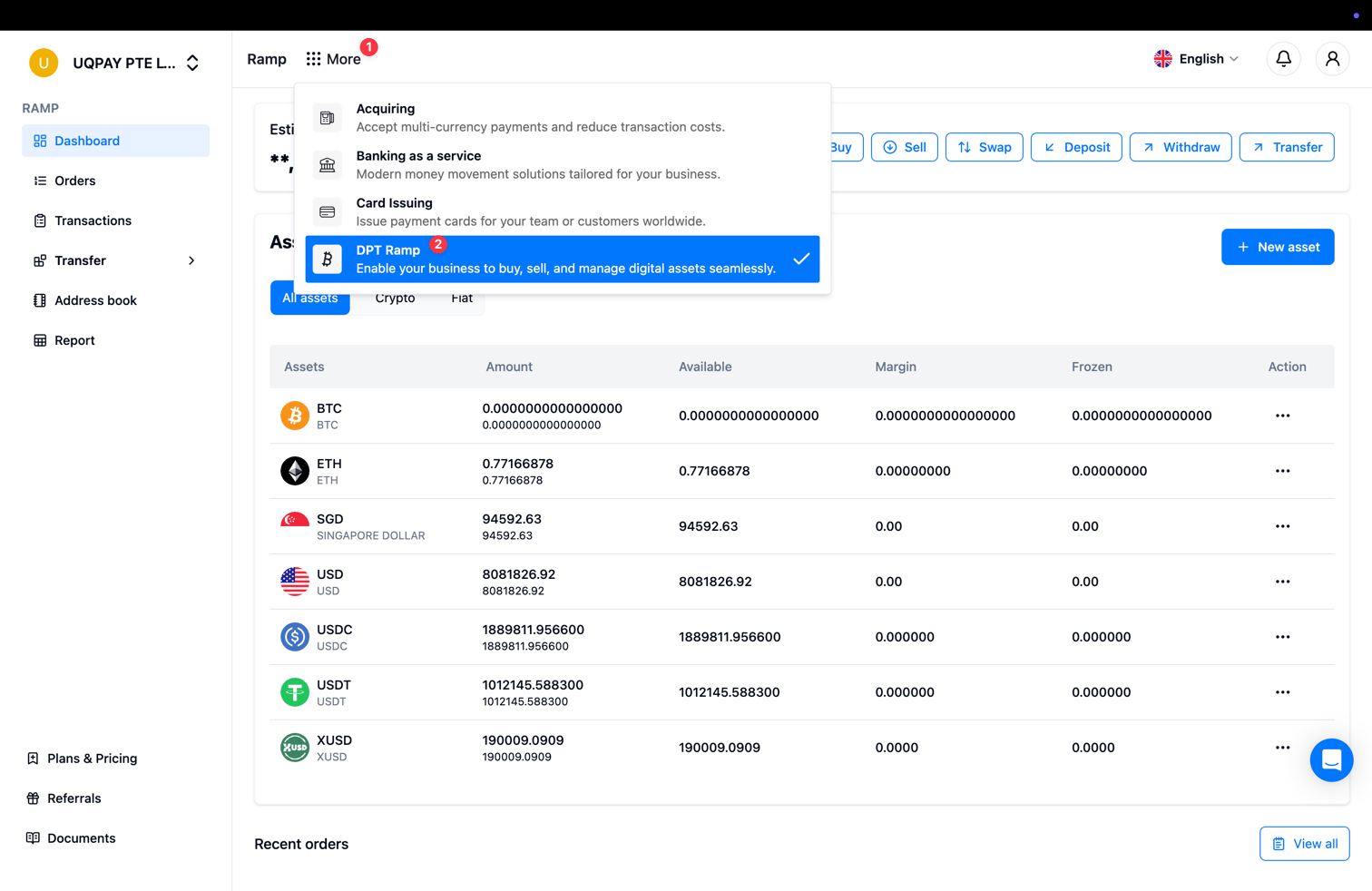
在顶部导航打开 **More**,选择 **DPT Ramp**,切换到 Stablecoin Account 业务。
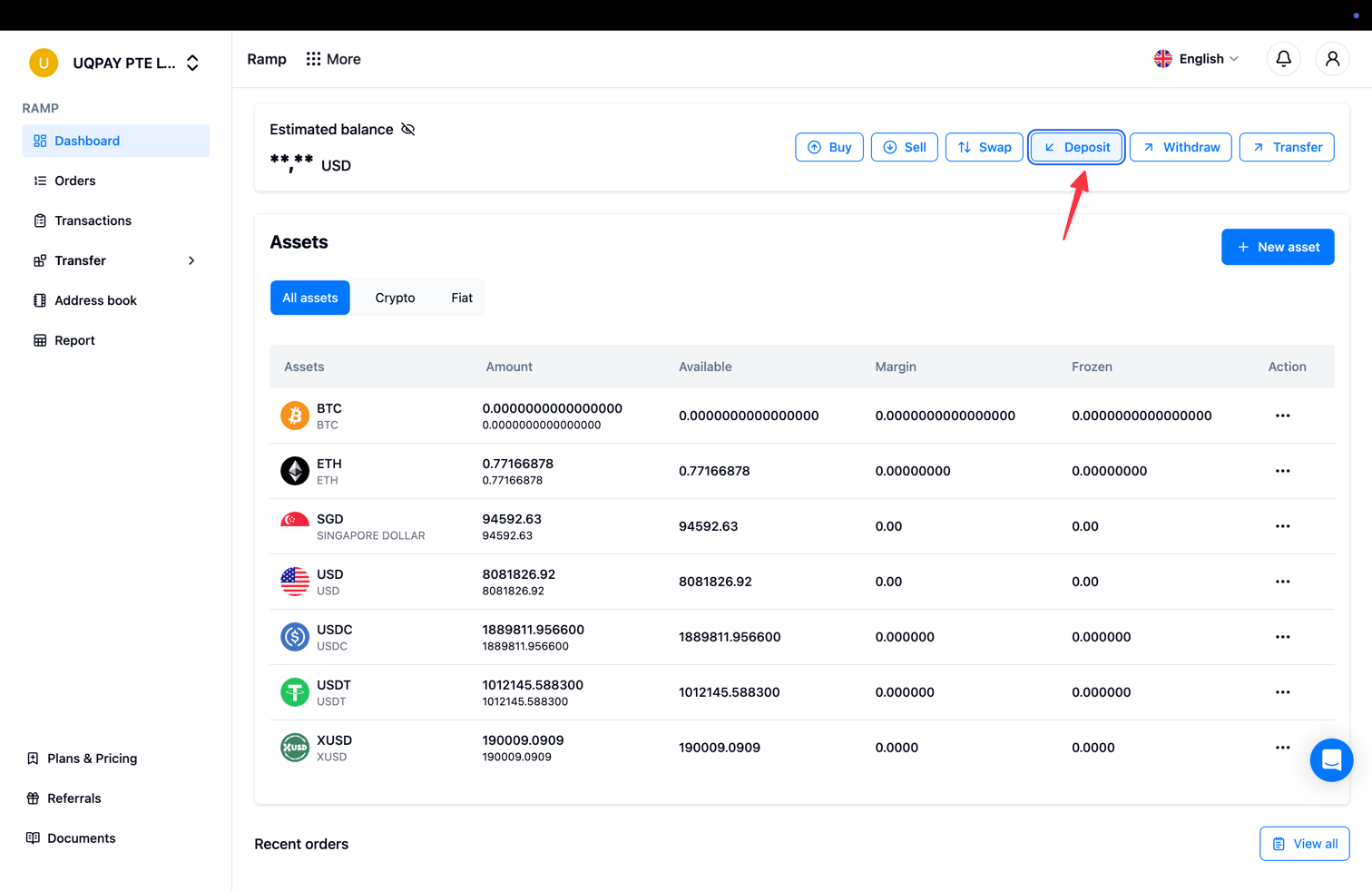
 在 Ramp 仪表盘上点击 **Deposit** 按钮。
 在 **Deposit** 对话框中选择要接收的网络和币种。系统会显示对应的钱包地址,以及二维码和最小充值金额。点击复制图标即可复制地址。
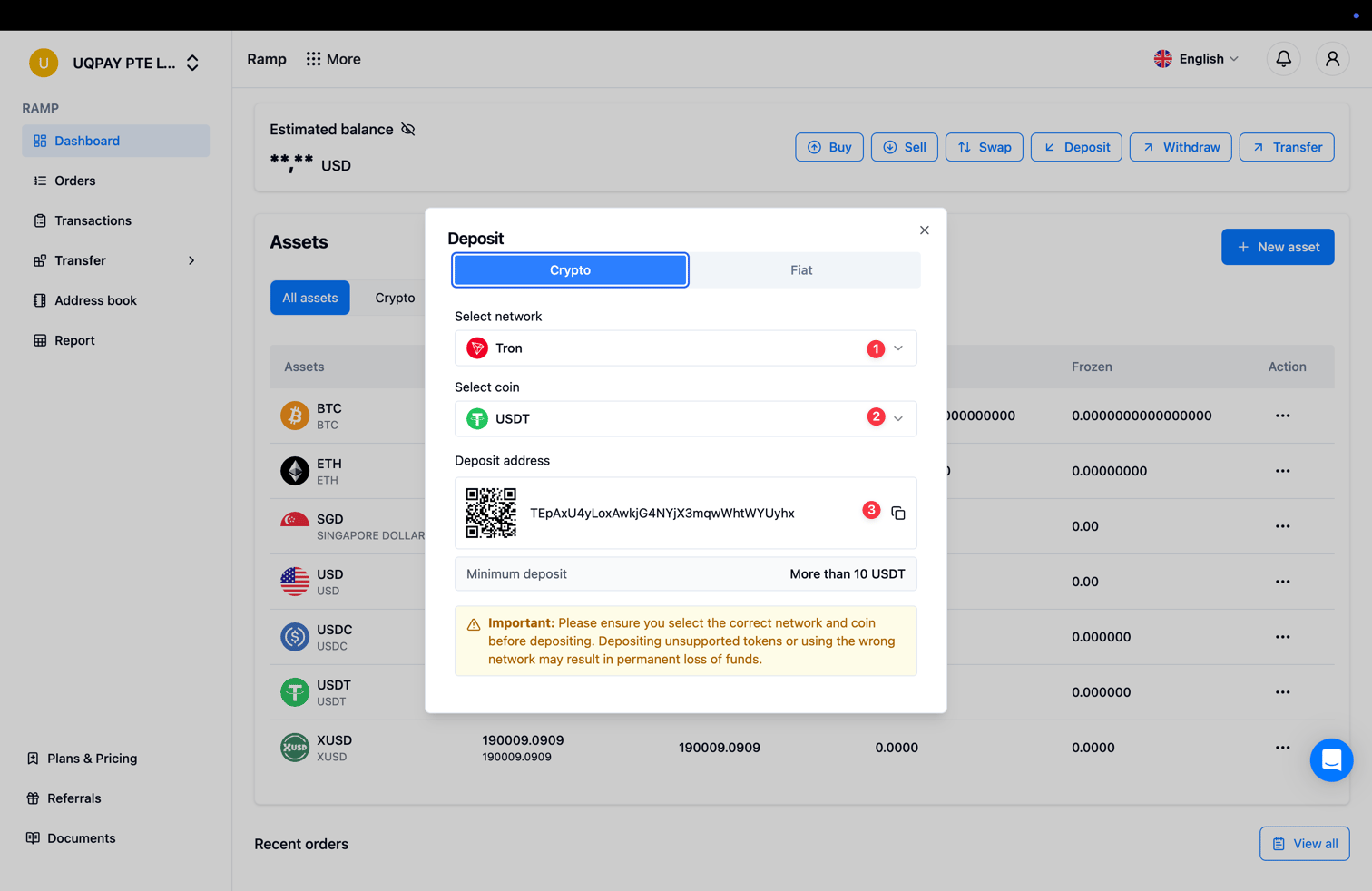 充值前务必确认选择了正确的网络和币种。充入不支持的代币、或使用错误的网络,可能导致资金永久丢失。
通过 API 获取地址
同一个钱包地址也可以通过接口获取 —— [Deposit Wallet Address](/zh/stablecoin-account/v1.6/api-reference/deposit-wallet-address) 接口、webhook 处理与订单对账参见[接收充值](/zh/stablecoin-account/v1.6/guide/receive-deposits)。
* [接收充值](/zh/stablecoin-account/v1.6/guide/receive-deposits)
* [支持的资产与网络](/zh/stablecoin-account/v1.6/guide/supported-assets-and-networks)
* [为 Stablecoin Account 添加资金](/zh/stablecoin-account/v1.6/guide/fund-your-stablecoin-account)