> ## Documentation Index
> Fetch the complete documentation index at: https://developers.uqpay.com/llms.txt
> Use this file to discover all available pages before exploring further.
# Virtual Account Application and Management
> How to apply for and manage virtual accounts through UQPAY, including default and named virtual accounts.
## Virtual Account Application
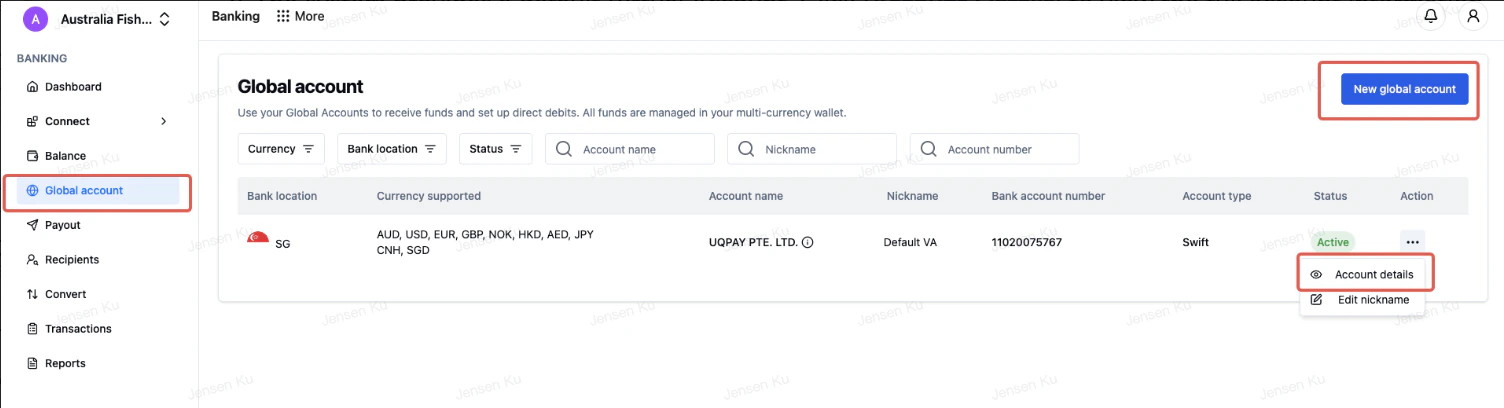
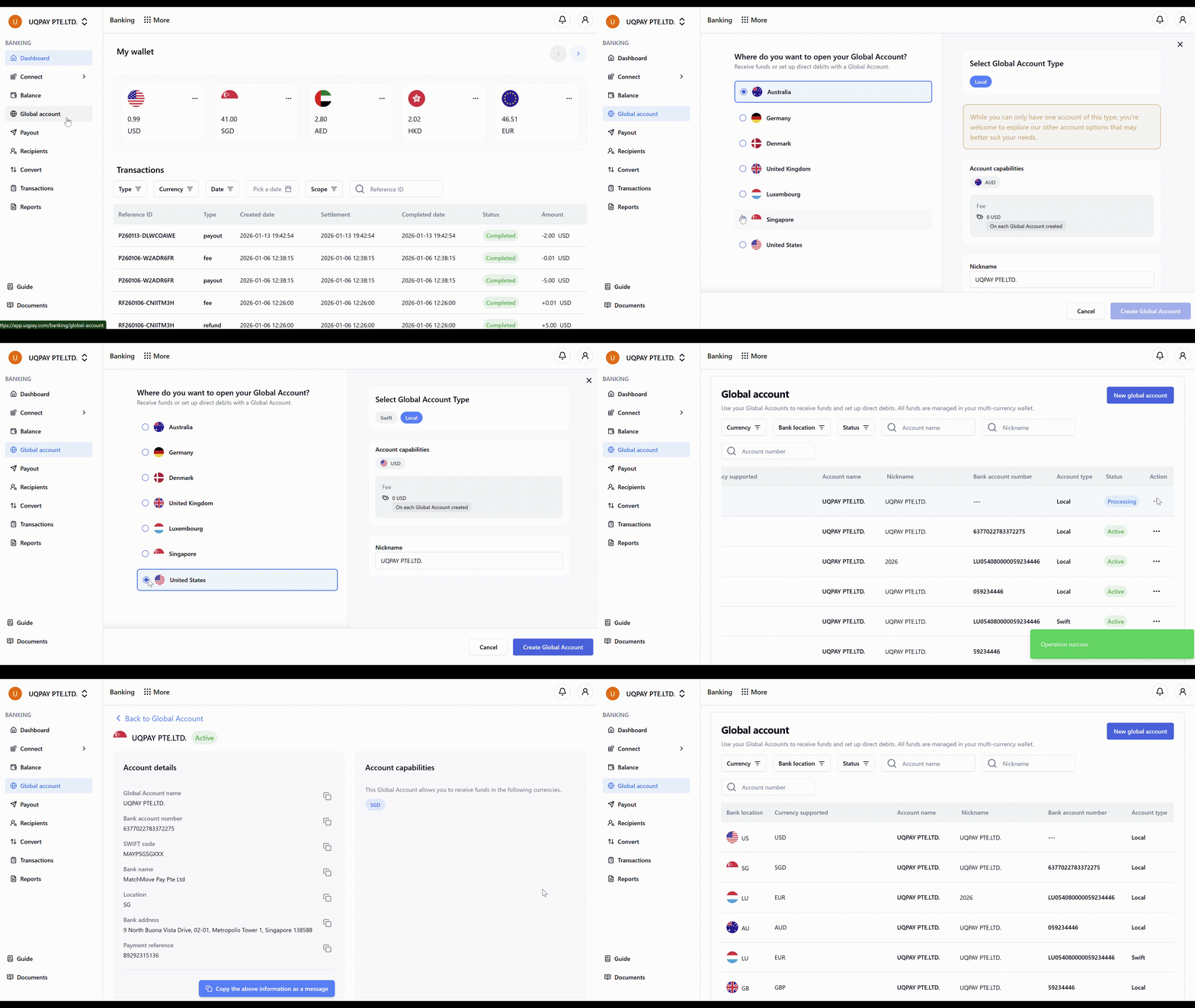
Navigate to **Global Account** to begin the process:
1. The system provides a default Virtual Account. Access **Account Details** to review complete account information.
2. The default account operates under UQPAY PTE LTD.
3. For a dedicated Named Virtual Account, select **New Global Account**.
4. Expected processing time: approximately 1-3 business days.
 For additional assistance, contact the UQPAY Customer Support Team.