> ## Documentation Index
> Fetch the complete documentation index at: https://developers.uqpay.com/llms.txt
> Use this file to discover all available pages before exploring further.
# Apply for Named Sub-Account
> Step-by-step guide to creating a named sub-account under your main UQPAY account.
## Create Account
1. Go to the **Accounts** page.
2. Click **Create Account**.
3. Select the house (main) account.
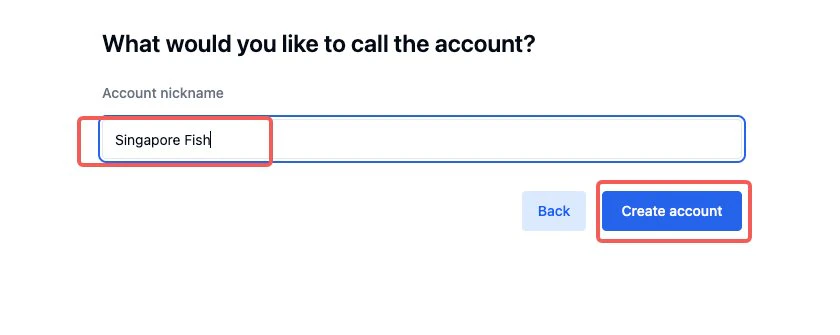
4. Enter a nickname for the sub-account and submit.
5. Complete all required information and submit for review.
 ## Named Sub-Account Description
* The sub-account name is the same as the main account name.
* A different nickname can be set for identification.
* Used for permission allocation and multi-account management.
## Step-by-Step Process
1. After clicking **Create Account**, select the account to which the sub-account belongs (main account).
## Named Sub-Account Description
* The sub-account name is the same as the main account name.
* A different nickname can be set for identification.
* Used for permission allocation and multi-account management.
## Step-by-Step Process
1. After clicking **Create Account**, select the account to which the sub-account belongs (main account).
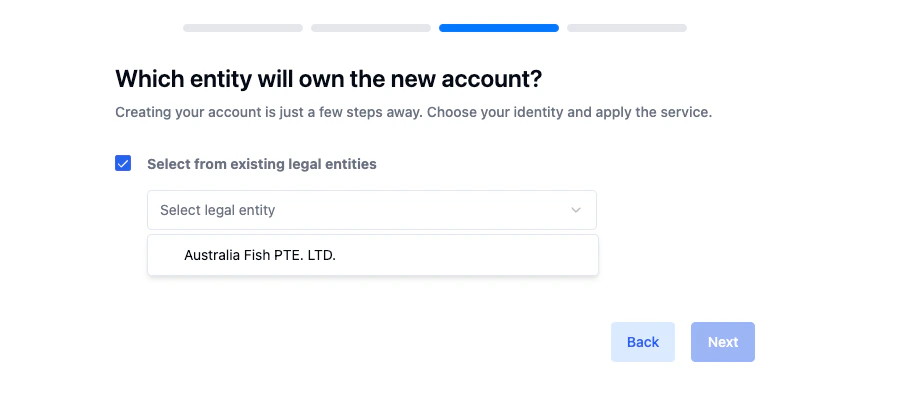 2. Click **Next**, enter a sub-account nickname (for identification), then click **Create Account**.
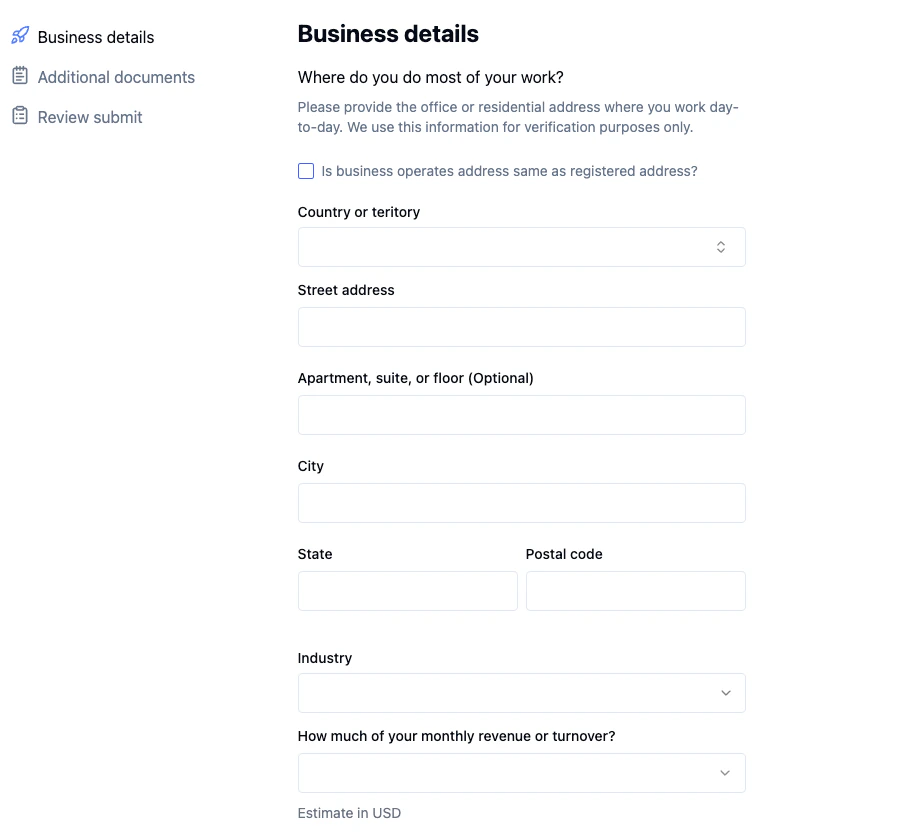 3. Complete the information and ensure all details are accurate, then click **Submit Application**.
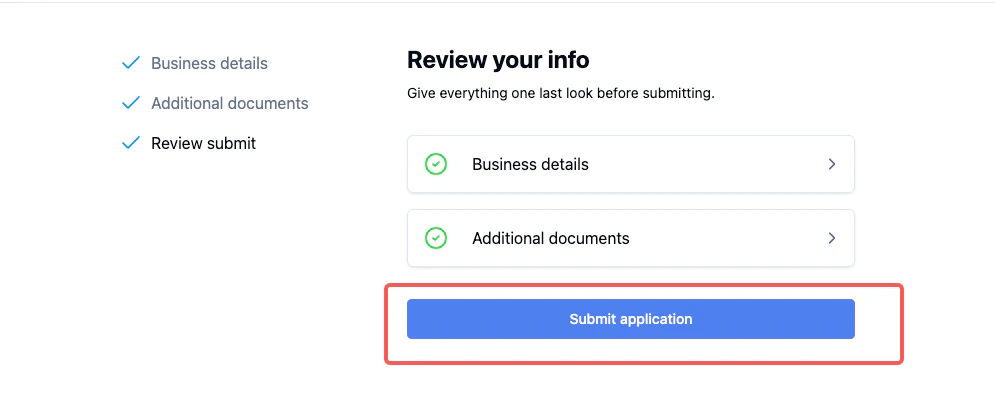
 4. After submission, the application status will show **Pending**.
5. Once approved, the **KYC status** will display **Approved**, and the **account status** will display **Active**.
4. After submission, the application status will show **Pending**.
5. Once approved, the **KYC status** will display **Approved**, and the **account status** will display **Active**.
 ## Review Status
Once submitted, the application will be reviewed, and the process is expected to be completed within 24-48 hours.
For additional assistance, contact the UQPAY Customer Support Team.
## Review Status
Once submitted, the application will be reviewed, and the process is expected to be completed within 24-48 hours.
For additional assistance, contact the UQPAY Customer Support Team.