> ## Documentation Index
> Fetch the complete documentation index at: https://developers.uqpay.com/llms.txt
> Use this file to discover all available pages before exploring further.
# Account Registration and Verification
> Step-by-step guide to registering, verifying email, setting up 2FA, and completing KYC on the UQPAY Merchant Platform.
## Registration Steps
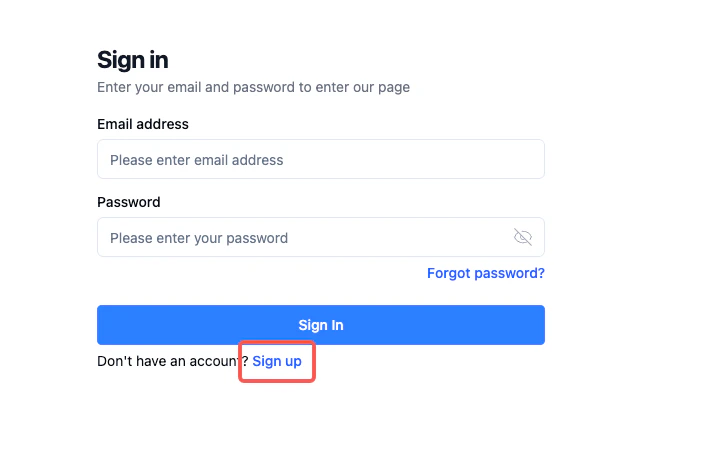
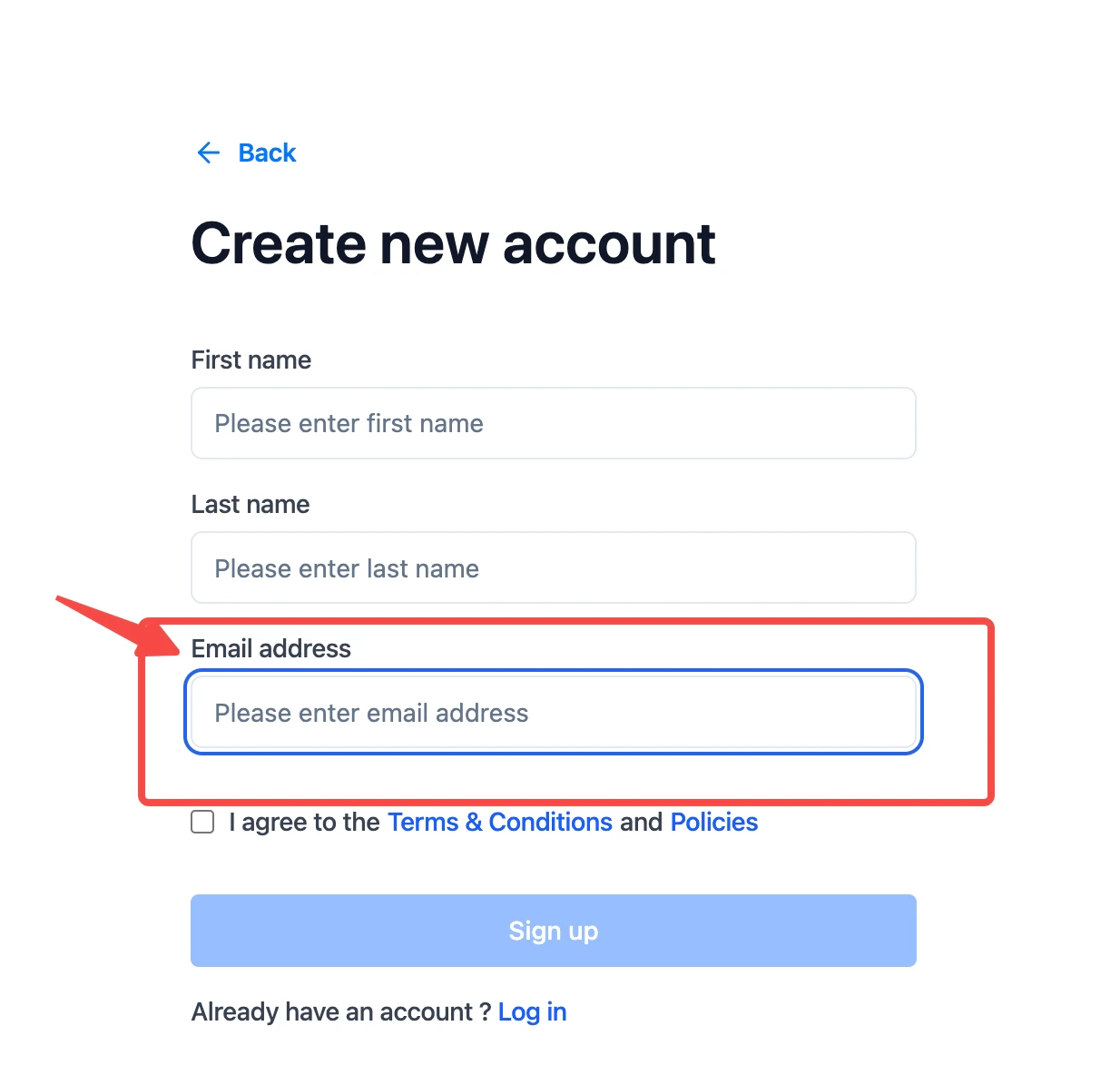
Begin by accessing the Merchant Platform at [https://app.uqpay.com](https://app.uqpay.com) and clicking **Sign Up**. You'll need to provide your last name, first name, and email address to initiate the registration process.
 ## Email Verification and Password Setup
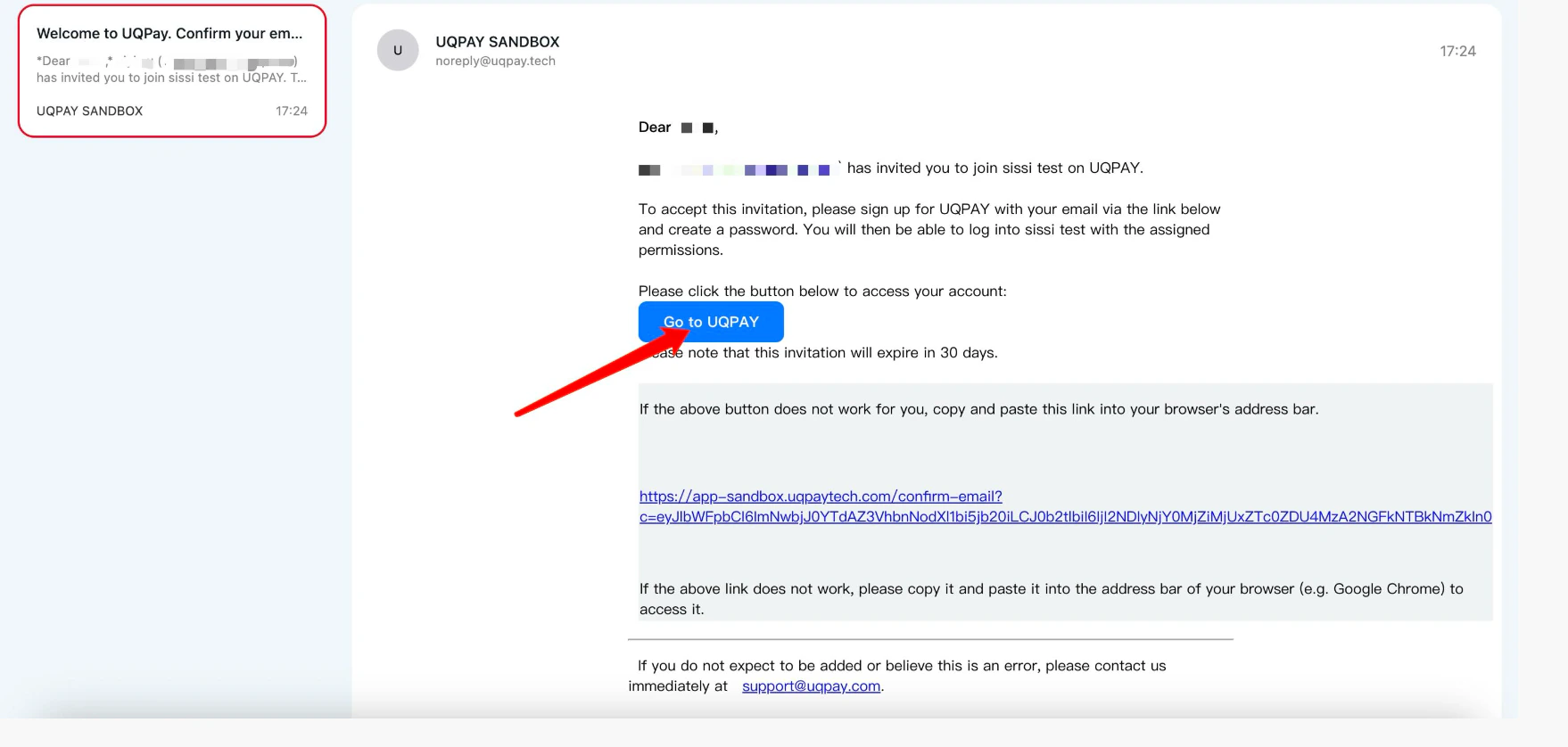
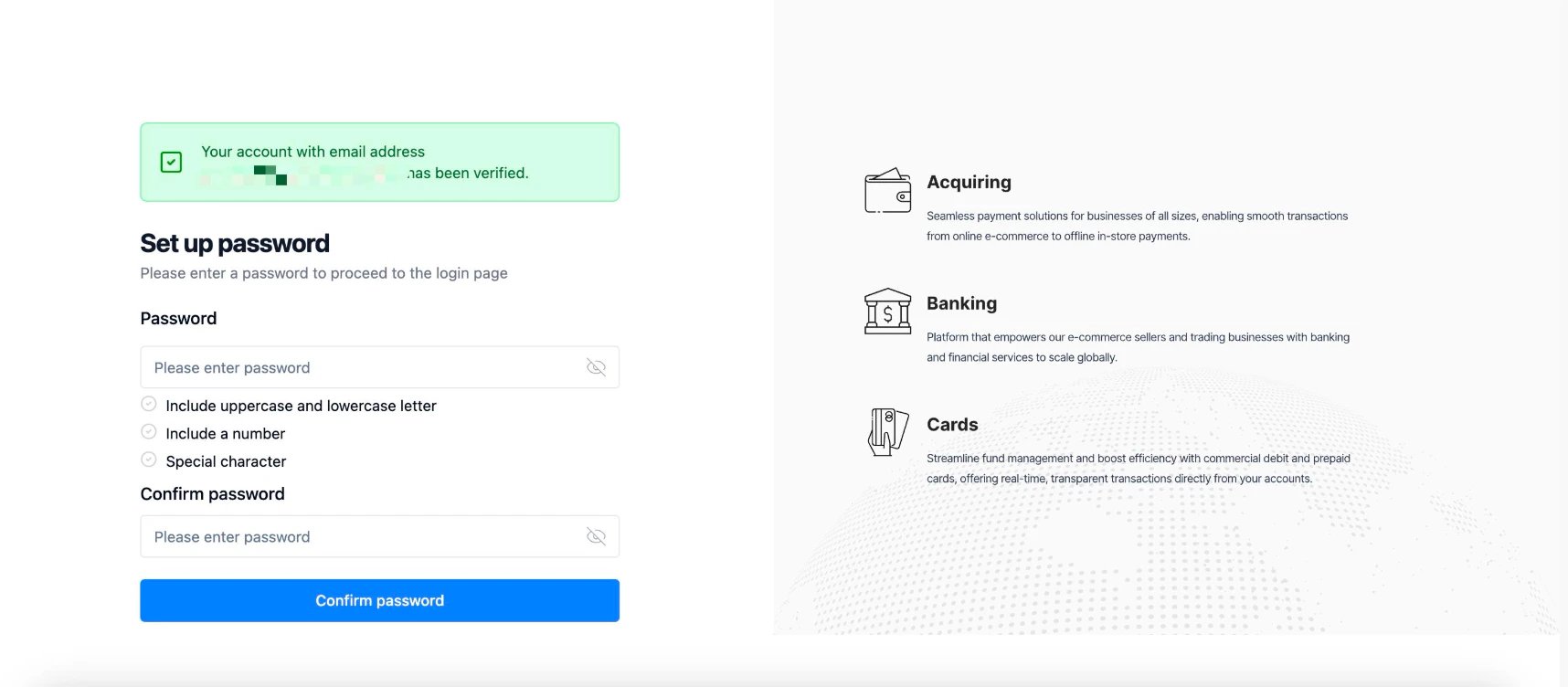
After submitting your registration details, check your email inbox for a confirmation link. Click the **Confirm Email** link to proceed. Next, you'll create your account password -- this will be used for future platform logins. After setting your password, select **Confirm Password** to advance to two-factor authentication setup.
## Email Verification and Password Setup
After submitting your registration details, check your email inbox for a confirmation link. Click the **Confirm Email** link to proceed. Next, you'll create your account password -- this will be used for future platform logins. After setting your password, select **Confirm Password** to advance to two-factor authentication setup.
 ## Two-Factor Authentication (2FA) Configuration
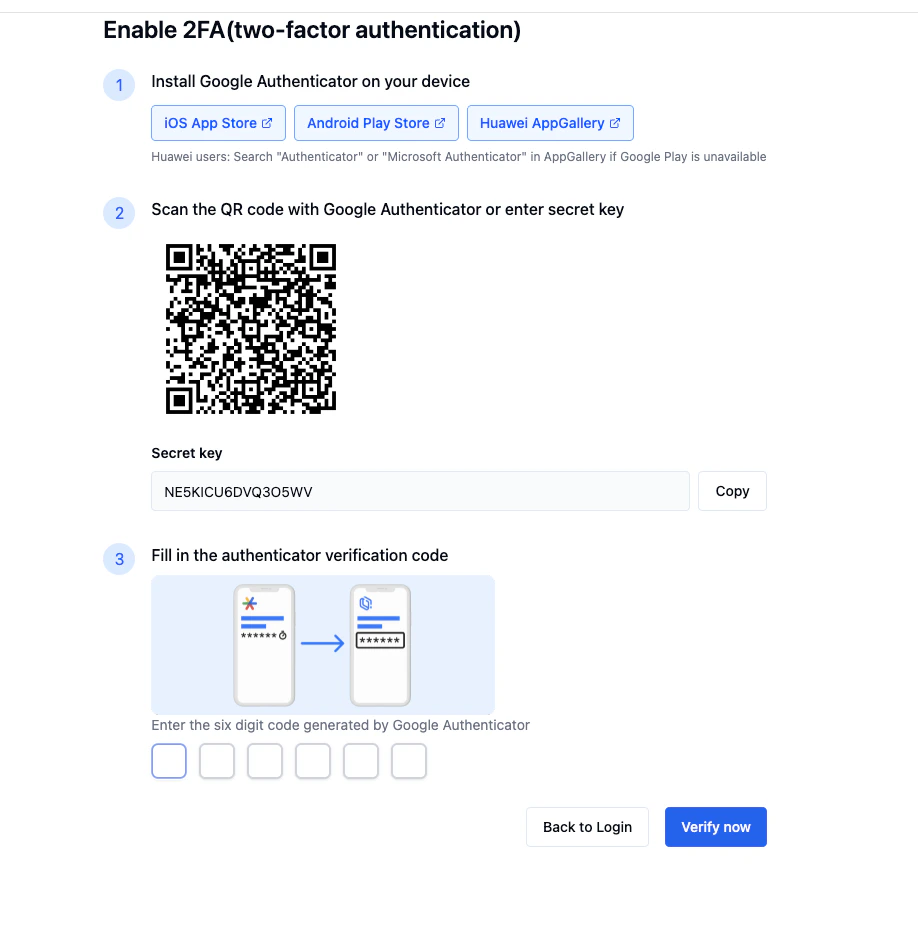
Complete these steps to enable 2FA:
1. Download Google Authenticator for Android or iOS.
2. Use the app to scan the system-generated QR code.
3. Enter the resulting 6-digit verification code.
4. Safely store your backup and recovery codes for future reference.
## Two-Factor Authentication (2FA) Configuration
Complete these steps to enable 2FA:
1. Download Google Authenticator for Android or iOS.
2. Use the app to scan the system-generated QR code.
3. Enter the resulting 6-digit verification code.
4. Safely store your backup and recovery codes for future reference.
 ## Account Activation
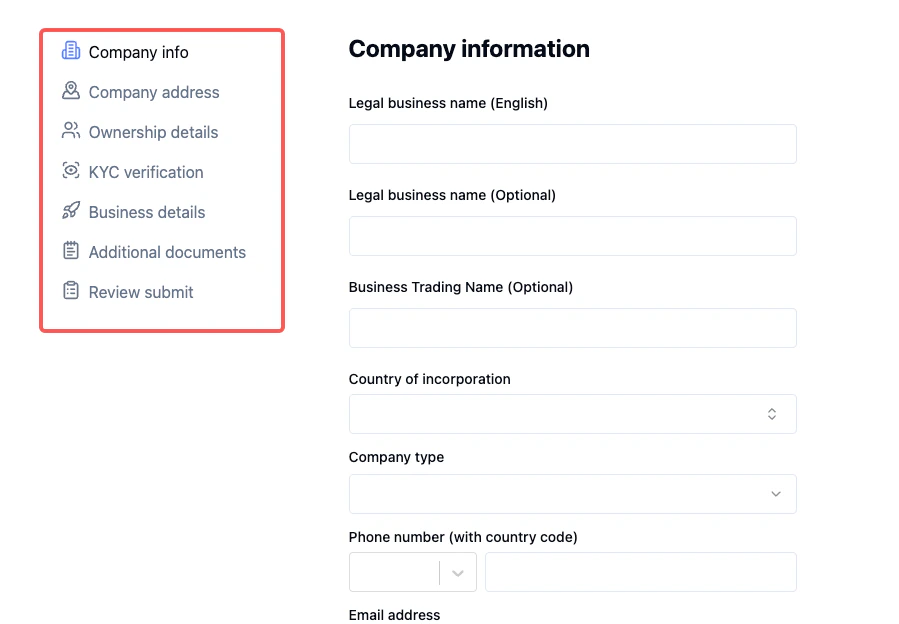
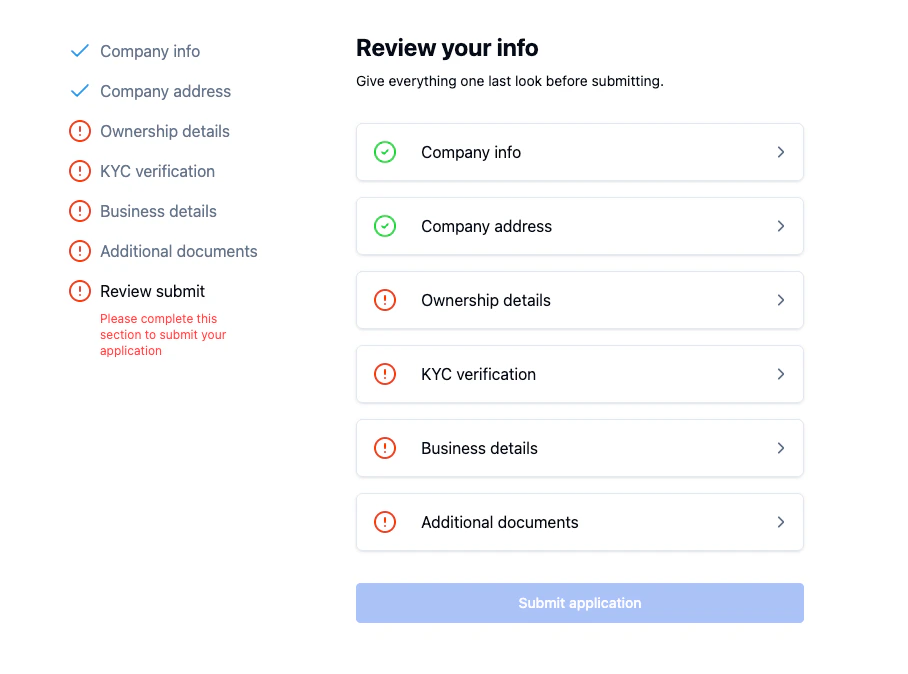
After logging in, navigate to the Banking page and select **Verify Now**. Follow the prompts to complete and upload your company information. Verify all details are accurate before submitting your application for review.
## Account Activation
After logging in, navigate to the Banking page and select **Verify Now**. Follow the prompts to complete and upload your company information. Verify all details are accurate before submitting your application for review.
 ## KYC Information Upload
When submitting Know Your Customer documents:
* Complete all required fields and correct any red-flagged errors.
* Upload all mandatory documents; optional ones are also recommended.
* If unable to provide certain information, submit a formal explanation along with any relevant supporting documents.
* Review typically takes 1-3 business days.
* You'll receive notification via email upon approval.
## KYC Information Upload
When submitting Know Your Customer documents:
* Complete all required fields and correct any red-flagged errors.
* Upload all mandatory documents; optional ones are also recommended.
* If unable to provide certain information, submit a formal explanation along with any relevant supporting documents.
* Review typically takes 1-3 business days.
* You'll receive notification via email upon approval.