> ## Documentation Index
> Fetch the complete documentation index at: https://developers.uqpay.com/llms.txt
> Use this file to discover all available pages before exploring further.
# Deposit
1. Sign in to the Dashboard > Select **Global Account**
2. Navigate to \*\*Wallet \*\* > **Global account** screen
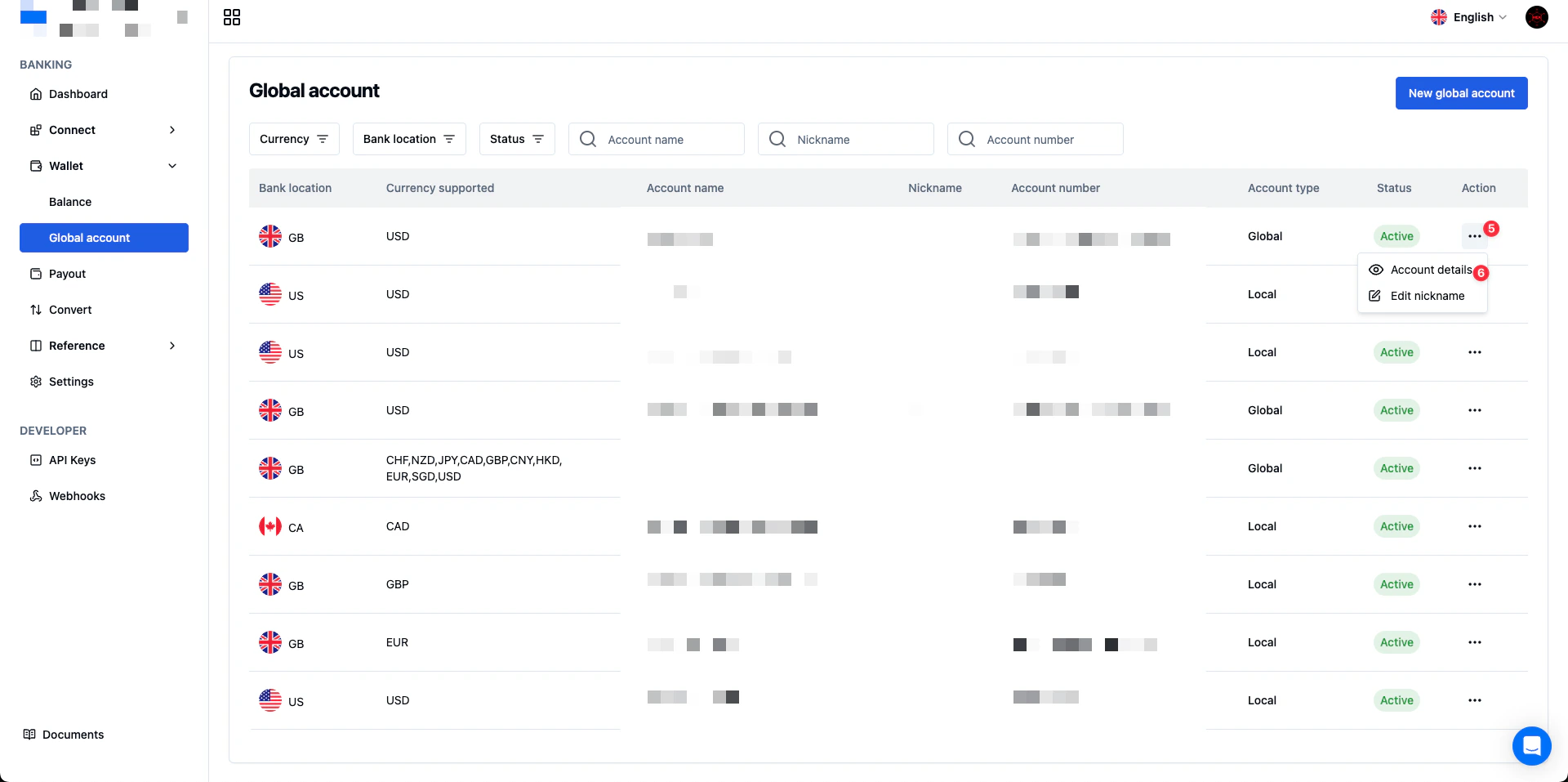
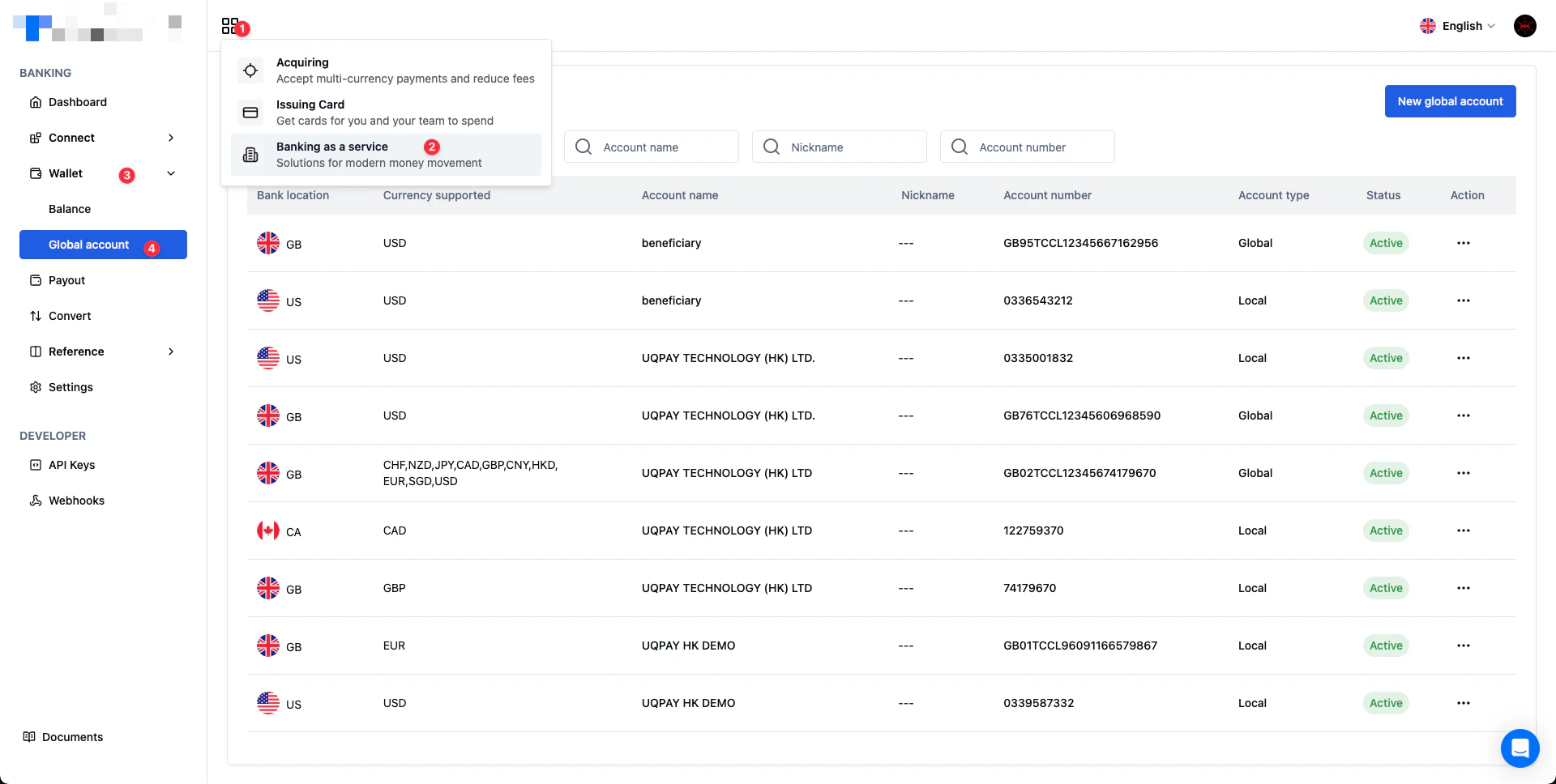 3. Select an account > select **...** in the **Action** column > select **Account details**
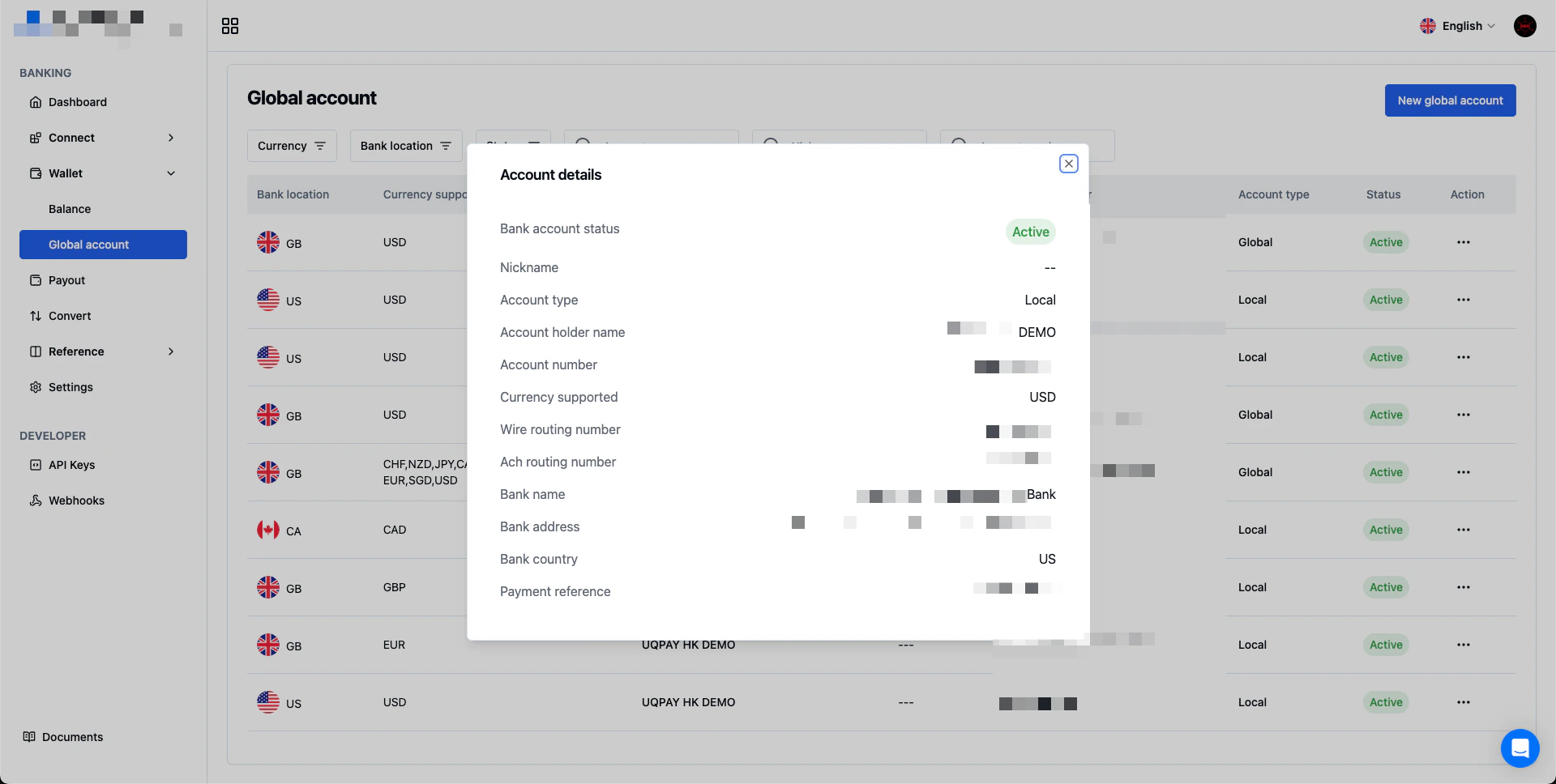
 4. You can find the information on the **Account details**
 ## API Doc
[List Deposits](/global-account/v1.6/api-reference/list-deposits)
## Sandbox Environment
In the sandbox environment, you can contact our Customer Support to create deposit to your account directly.
## API Doc
[List Deposits](/global-account/v1.6/api-reference/list-deposits)
## Sandbox Environment
In the sandbox environment, you can contact our Customer Support to create deposit to your account directly.