> ## Documentation Index
> Fetch the complete documentation index at: https://developers.uqpay.com/llms.txt
> Use this file to discover all available pages before exploring further.
# Webhook Settings
> Configure webhook endpoints in the UQPAY dashboard to receive real-time event notifications.
## Set up a webhook
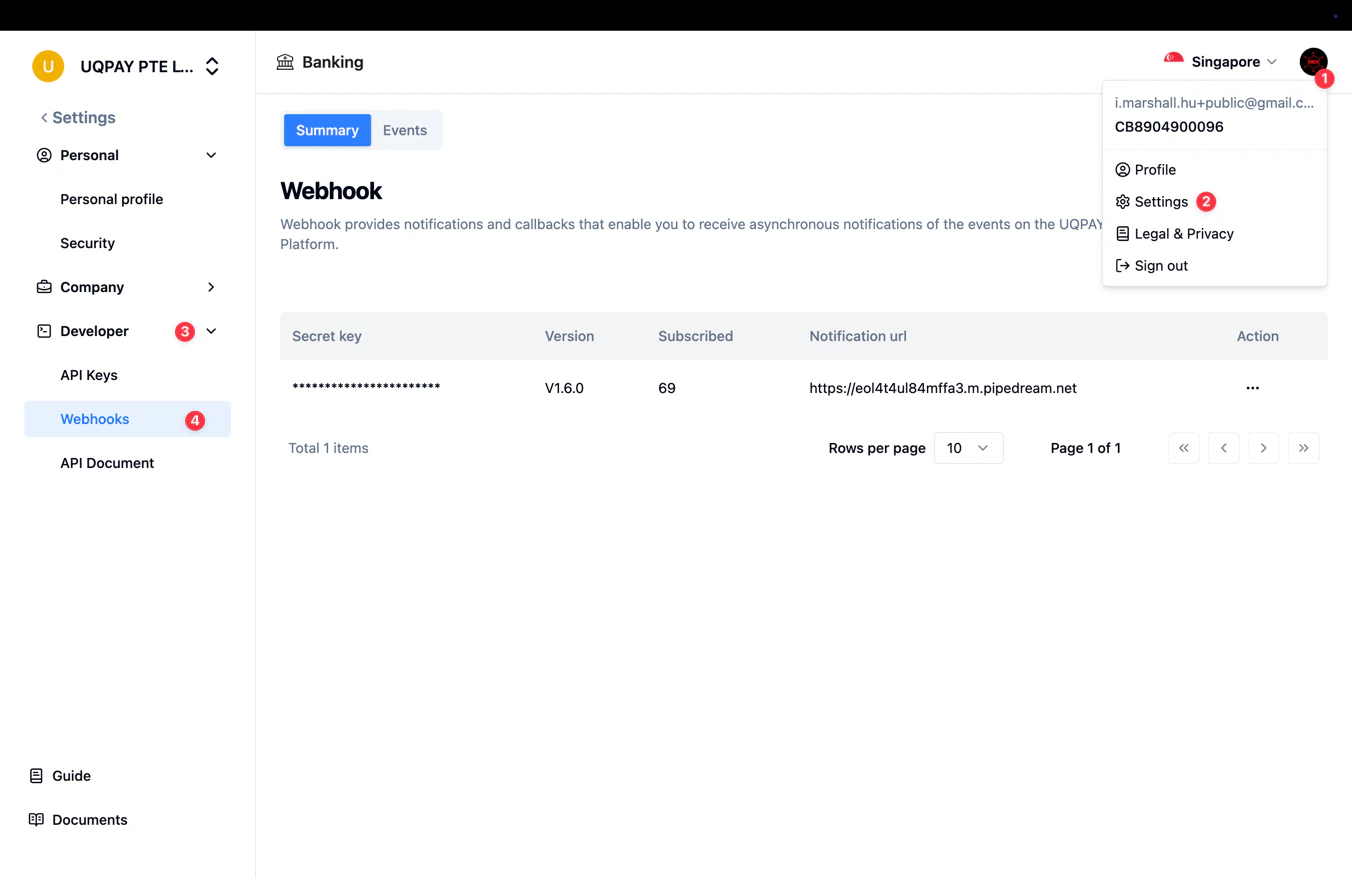
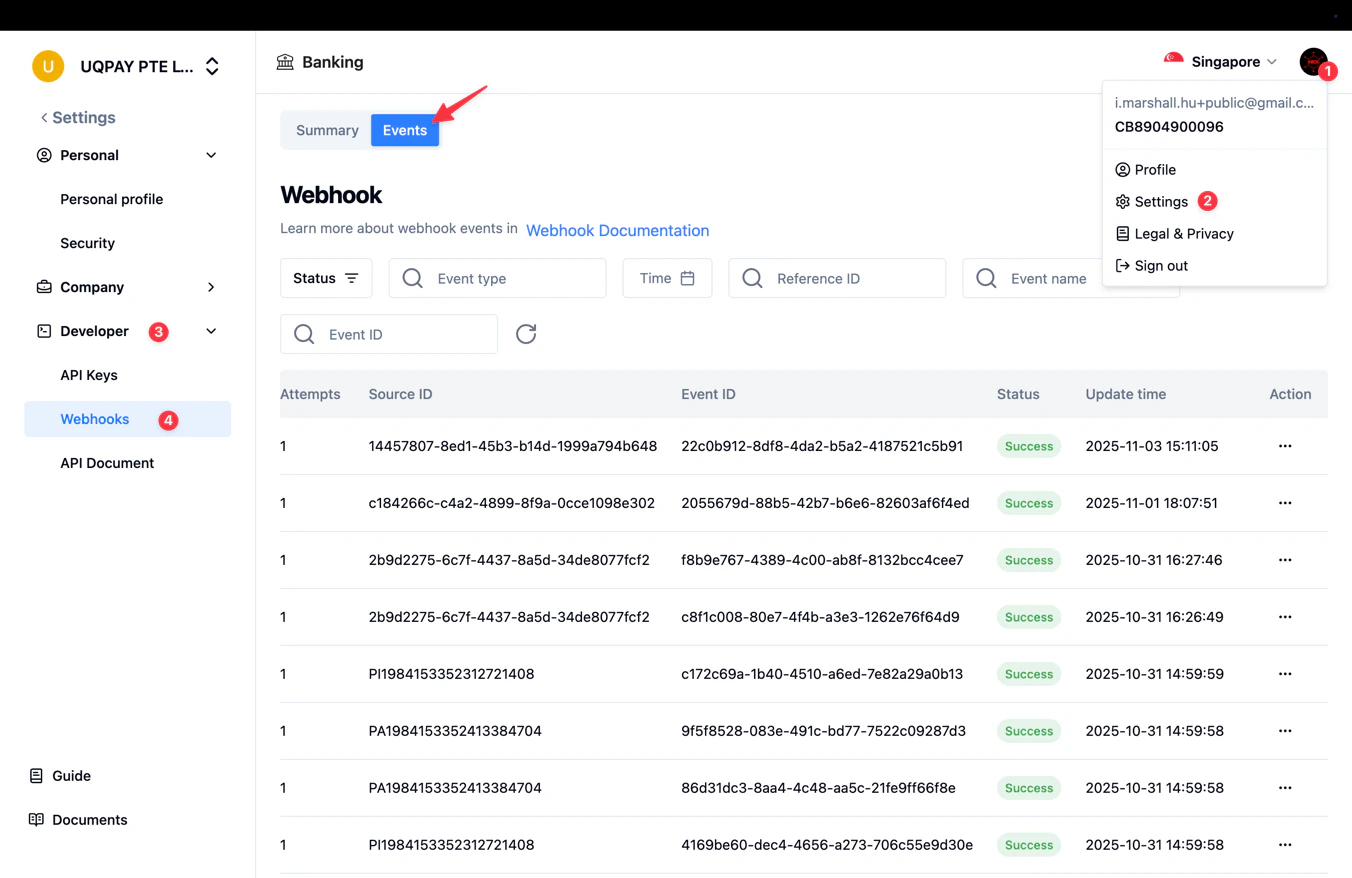
Sign in to the dashboard, click your profile picture in the top-right corner, and select **Settings**. Then navigate to **Developer** → **Webhooks**.
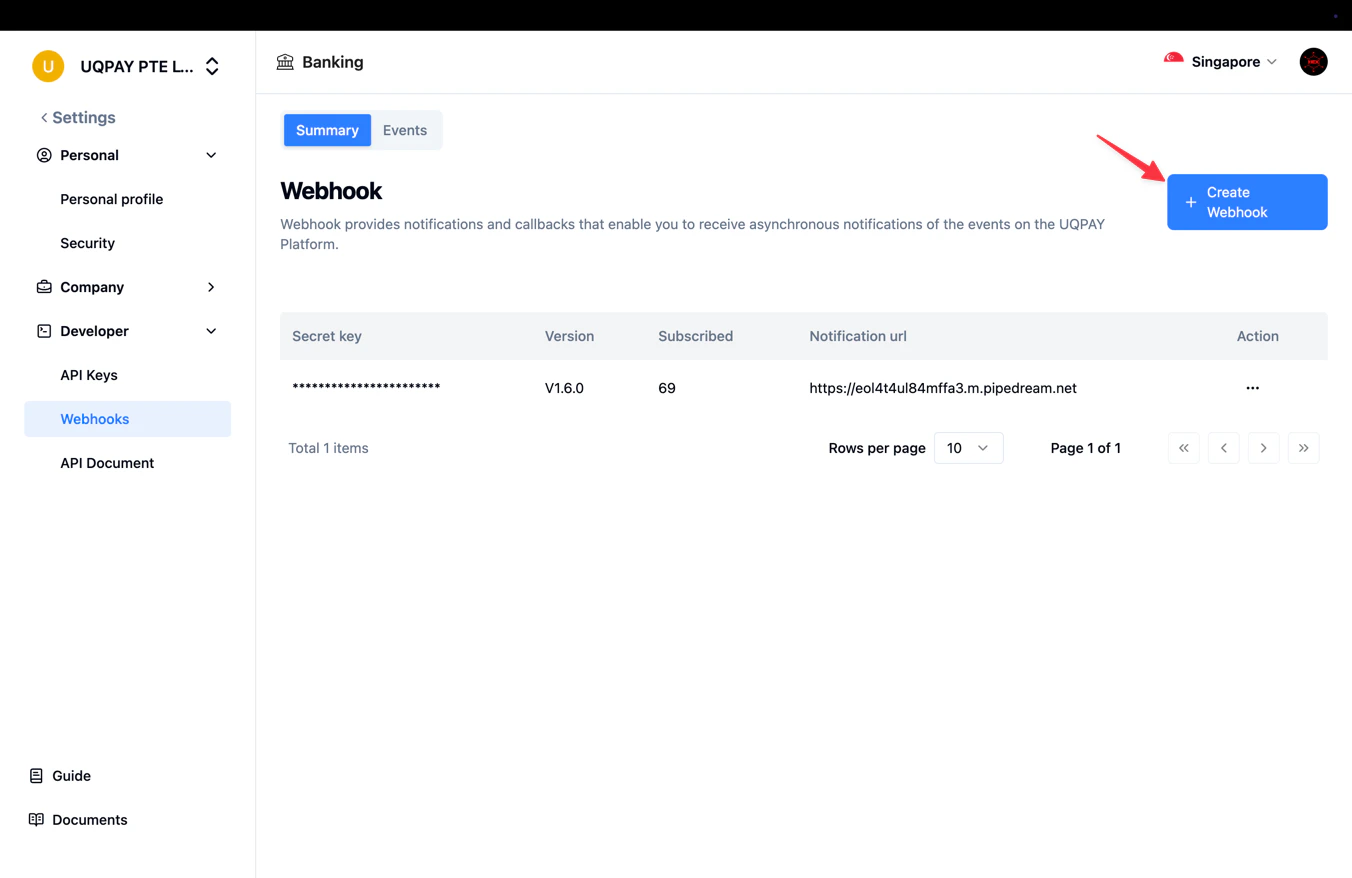
 Click **Create Webhook** in the top-right corner.
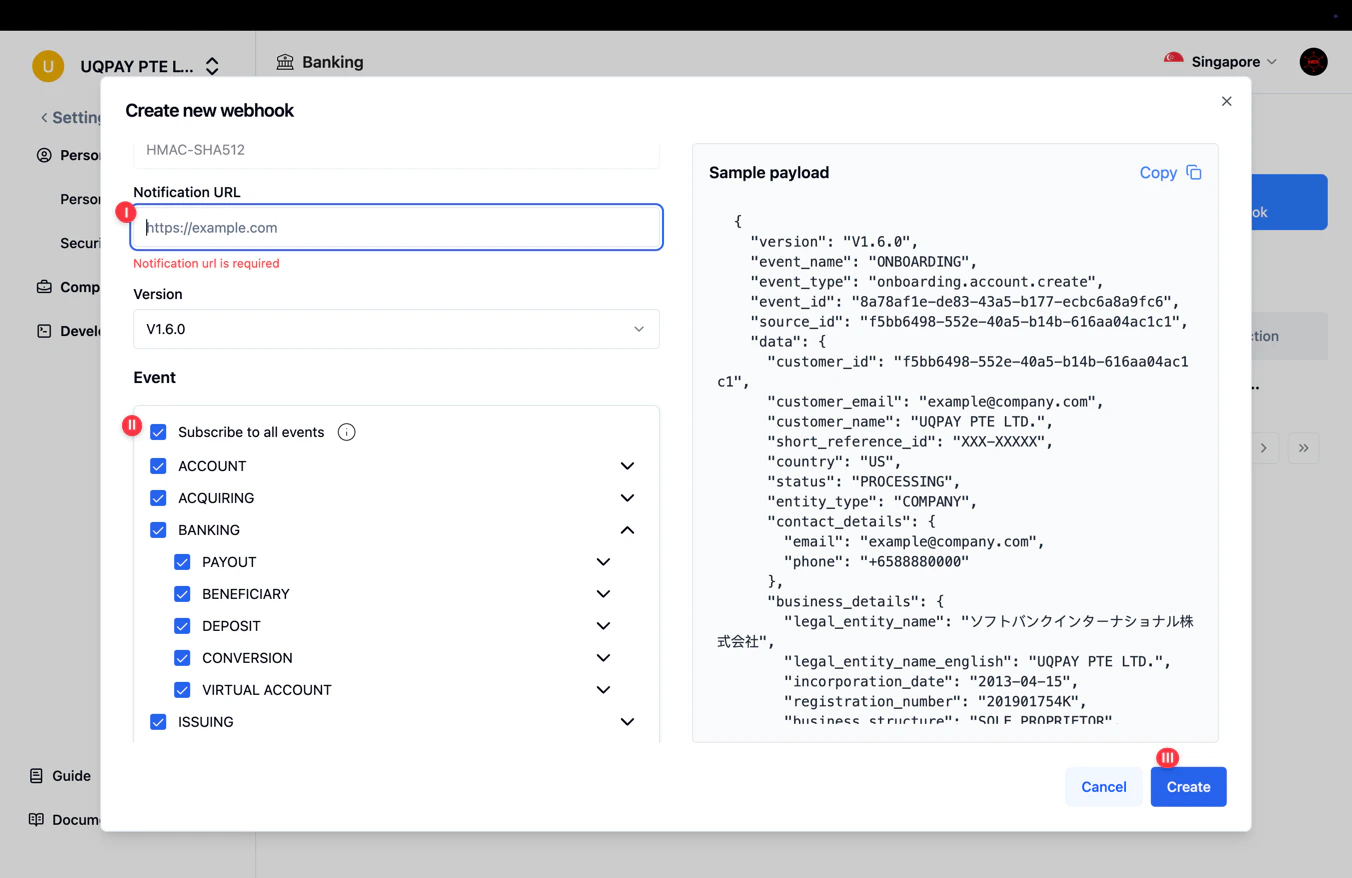
 Fill in the webhook details:
1. Enter your **notification URL** — the endpoint that will receive event payloads.
2. Select the event types you want to subscribe to, or choose **Subscribe to all events**.
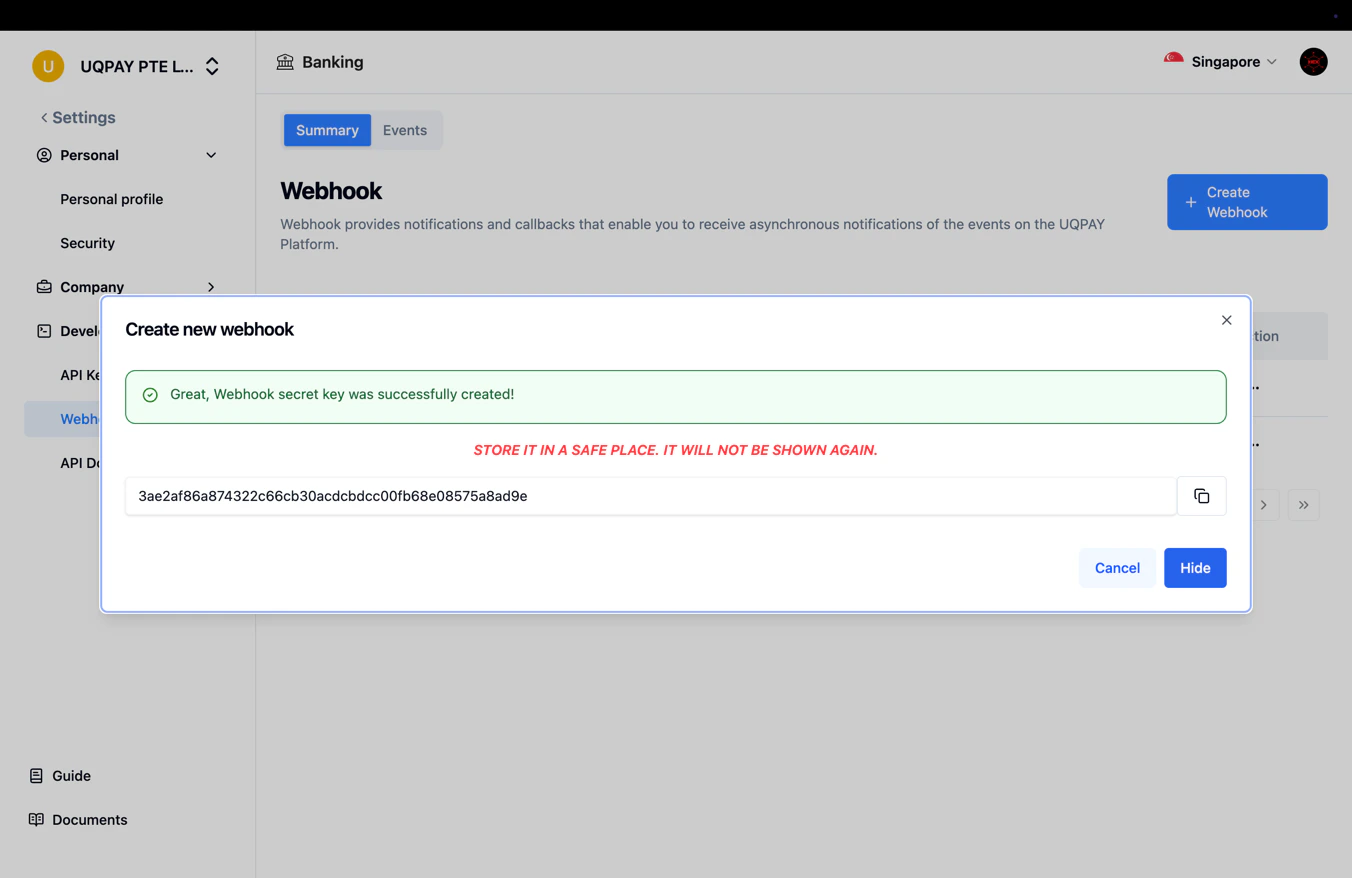
3. Click **Create** to save.
Fill in the webhook details:
1. Enter your **notification URL** — the endpoint that will receive event payloads.
2. Select the event types you want to subscribe to, or choose **Subscribe to all events**.
3. Click **Create** to save.
 To ensure webhooks are delivered successfully in your production environment, add UQPAY's IP addresses to your server's allowlist. See [Webhooks Overview](/account-center/v1.6/guide/webhooks-overview) for the full list.
 ## Check previous webhooks or re-trigger
You can review past webhook deliveries and resend them from the dashboard.
1. On the Webhook page, select the **Events** tab.
## Check previous webhooks or re-trigger
You can review past webhook deliveries and resend them from the dashboard.
1. On the Webhook page, select the **Events** tab.
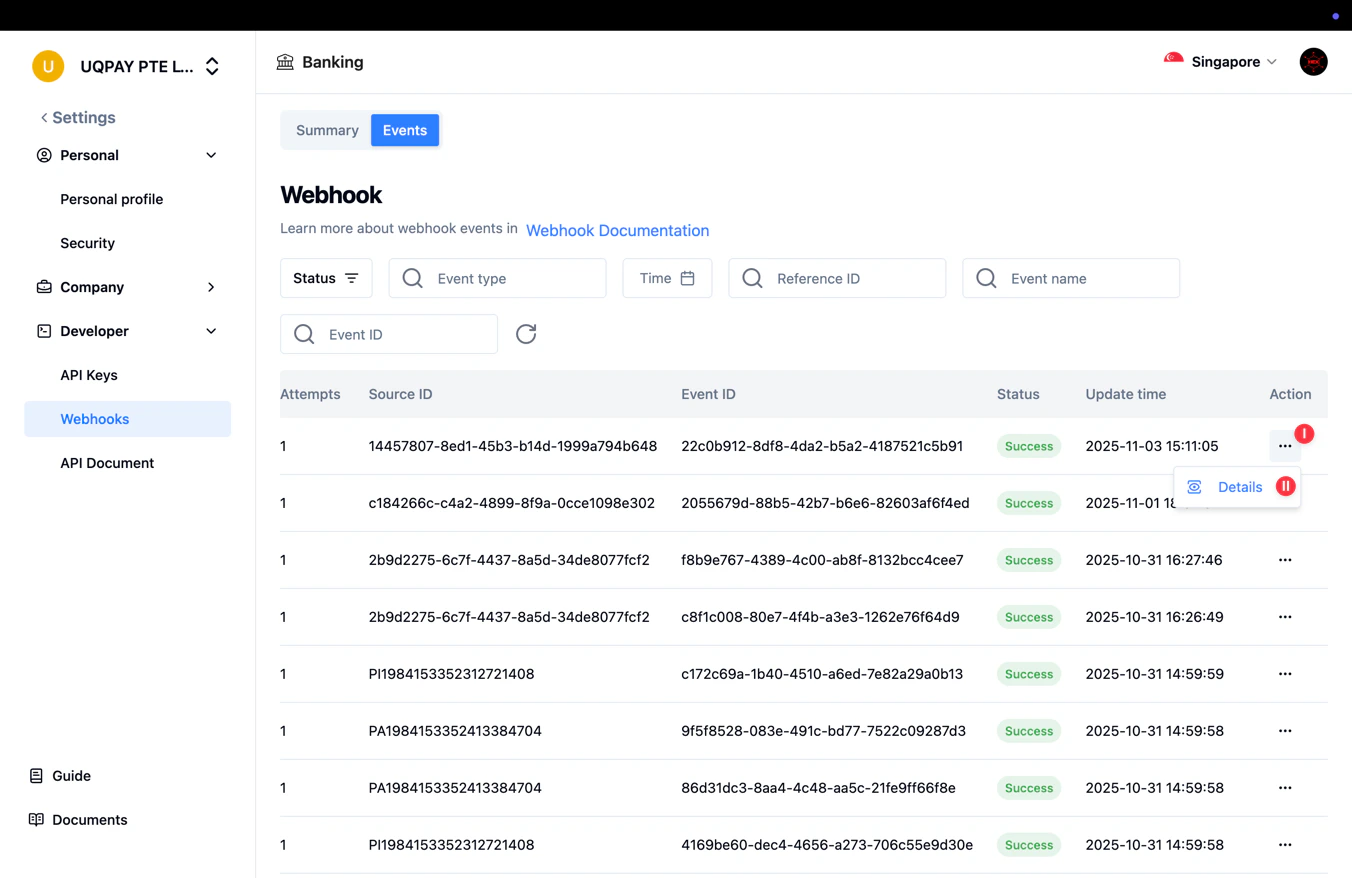
 2. To view the details of a specific delivery, click the **...** menu next to the event and select **Details**.
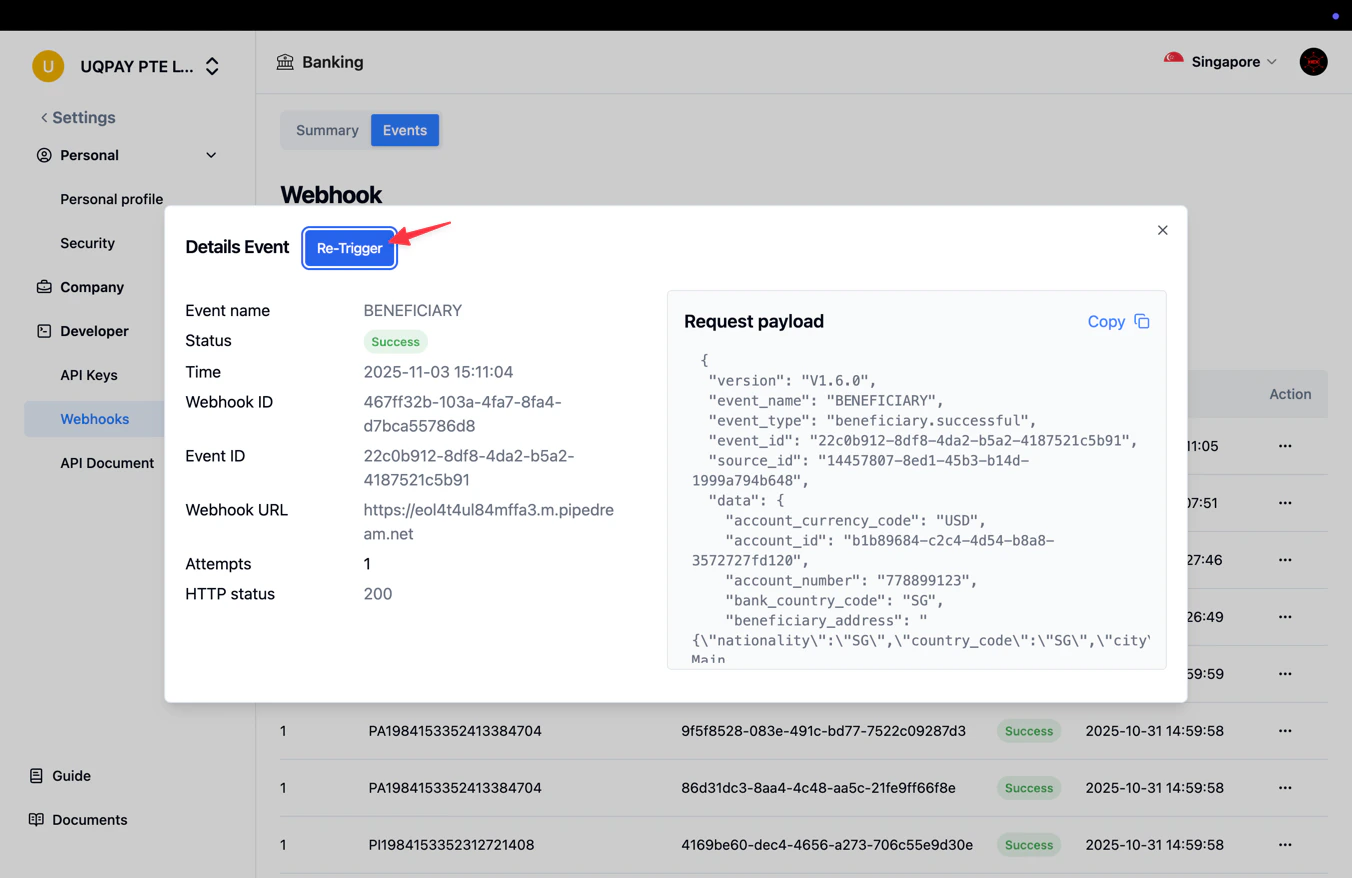
 3. In the details panel, click **Re-Trigger** to resend the webhook notification.
 ## Edit or remove a webhook
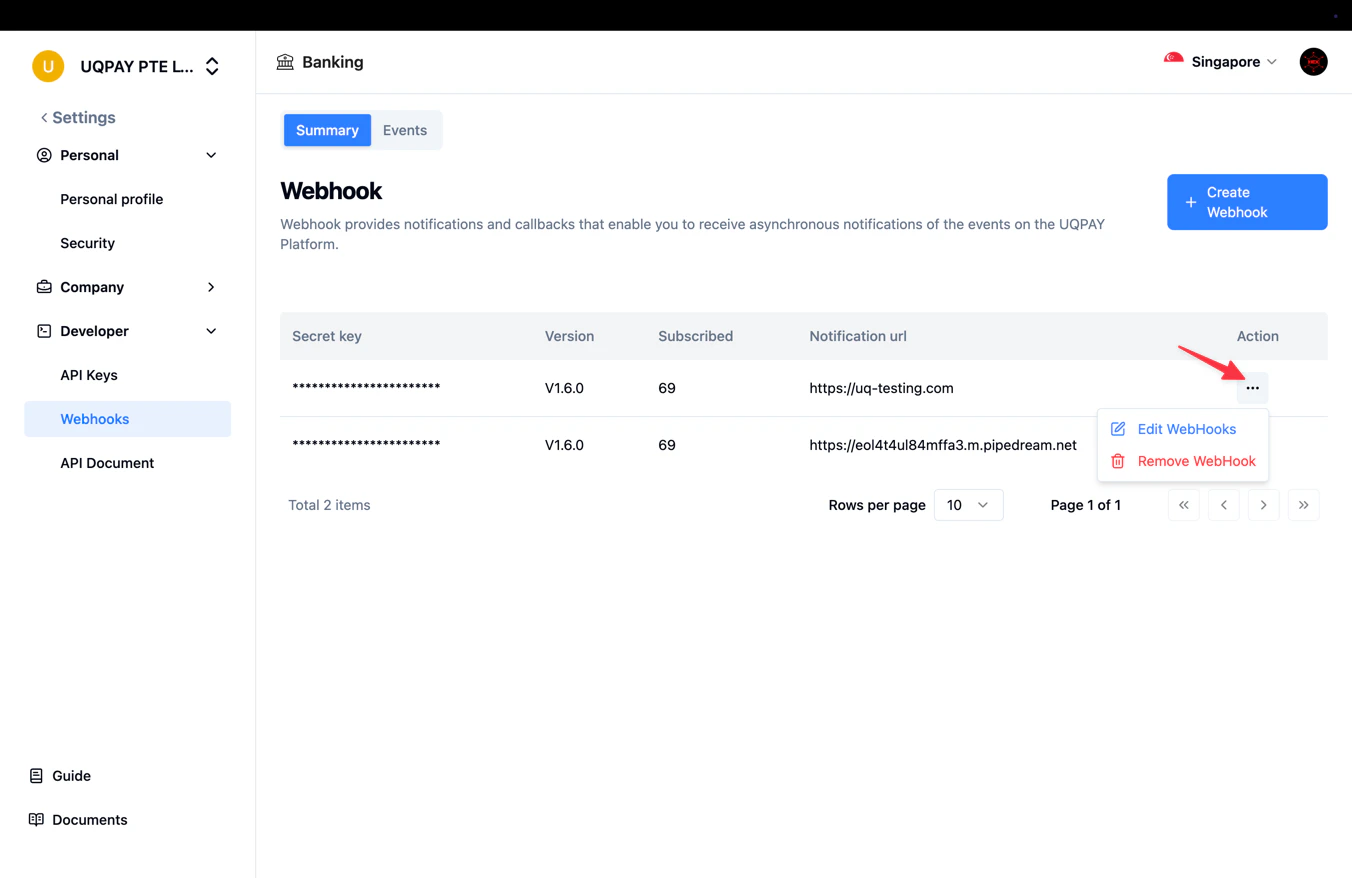
After a webhook is created, you can modify its URL or subscribed events, or delete it entirely, from the Webhooks list.
## Edit or remove a webhook
After a webhook is created, you can modify its URL or subscribed events, or delete it entirely, from the Webhooks list.
 ## Related
For signature verification, retry logic, and best practices, see [Webhooks Overview](/account-center/v1.6/guide/webhooks-overview).
## Related
For signature verification, retry logic, and best practices, see [Webhooks Overview](/account-center/v1.6/guide/webhooks-overview).